

Use this quickstart to publish your first docs change and see it go live.
Onboarding
When you sign up, Radiant sets up your docs project automatically.
- If you connect GitHub, docs are created in your GitHub-backed project.
- If you skip GitHub, docs are created in a Radiant-managed private repository.
- In both cases, starter docs are already deployed and ready to edit.
Use the dashboard editor path for browser-based editing. Use the CLI path when your docs content lives in a GitHub repository you can clone.
Make your first change
Open the editor
In the Radiant dashboard, open Editor.

Make one small text change
Open any starter page and edit one heading or paragraph. After you make
the change, the top of the editor shows a 1 file change indicator.

Publish the update
Click Publish and approve the publish action for your live docs site.
Watch the deployment
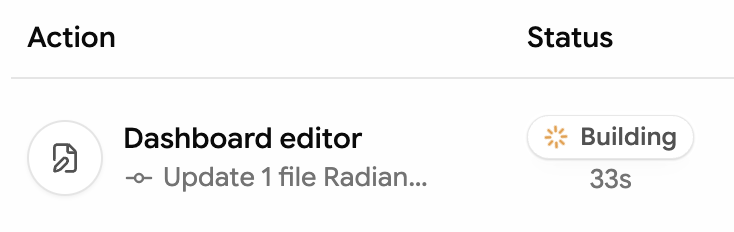
Go to the dashboard Overview page to see your change start deploying.

The deployment activity shows the dashboard editor update while the build is running.
See it live
When the deployment shows Success, your newly deployed docs site is live with your published change.

Clone your docs repo
In terminal, go to the directory where you want to keep your local docs copy, then clone the repo.
Start local preview from the docs root
Run this in the folder that contains docs.json:
After startup, open the local preview URL in your browser.
Edit one page
Update one heading or paragraph in an .mdx file and save. The change
appears in your local preview at http://localhost:4321.
Commit and push
Commit the change in your repo and push so your docs can deploy.
After push, your updated docs automatically start deploying. Monitor deployment status from the Dashboard Overview page.